How to Get Free Government Tablets in 2025 Complete Guide to Free Tablet Programs
Learn how to get free government tablets in 2025 through Lifeline, ACP replacement programs, and state initiatives. Complete guide with eligibility requirements, application process, and provider information for low-income families.
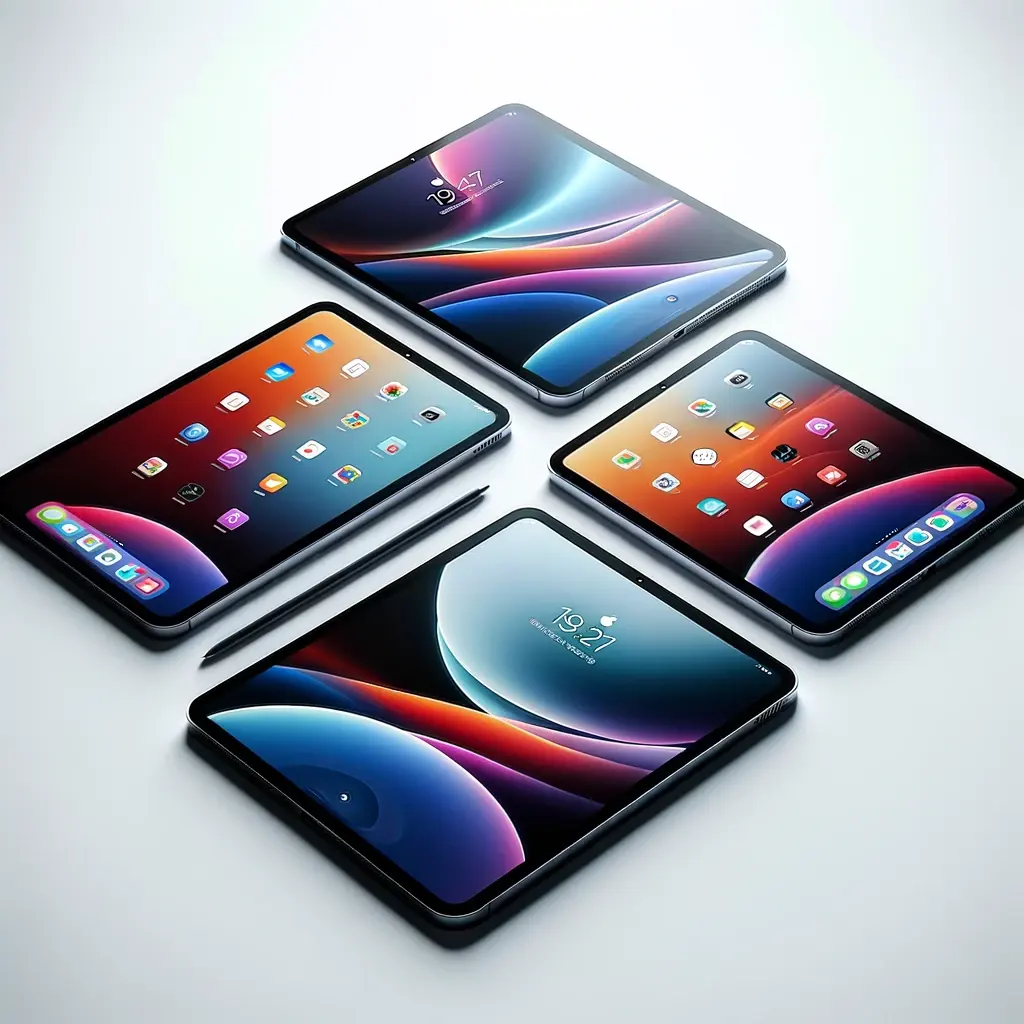
The necessity for connectivity and access to online resources has never been more pronounced. As we progress through 2025, the digital divide remains a significant challenge for many, particularly for low-income families and individuals who find the cost of technology prohibitive.
Recognizing this gap, various government assistance programs have been designed to ensure that everyone, irrespective of their financial situation, can gain access to essential digital tools like tablets. These initiatives are crucial for democratizing access to technology to enhance educational opportunities, facilitate job searches, and ensure essential services are within reach for underserved communities.
Free Government Tablet Programs Available in 2025
The journey to obtain free government tablets in 2025 is guided by several key programs. While the Affordable Connectivity Program (ACP) has ended, the Lifeline program continues to provide essential connectivity support, and new initiatives have emerged to fill the gap. These programs underscore the government’s ongoing commitment to digital inclusion, offering free or discounted tablets to those who meet eligibility criteria.
This guide is designed to serve as your compass in navigating through the requirements, processes, and programs available to secure a free tablet. Whether you’re a student in need of a device for online learning, a job seeker looking to apply for positions online, or someone who wants to stay informed and connected, understanding how to get free government tablets can be your first step towards achieving digital empowerment. With initiatives like Lifeline, ACP, and other state and local programs, the goal is to bridge the digital divide and foster a society where everyone has the tools they need to succeed in today’s digital landscape.
Why Do Governments Give Free Tablets?
Governments around the world have recognized the transformative power of digital technology in bridging educational and economic divides within their populations. This understanding has led to the initiation of various programs aimed at distributing free tablets to citizens, particularly targeting low-income families, students, and disabled individuals who might not otherwise afford such technology.
The primary reason behind these initiatives is to ensure equitable access to information, educational resources, and opportunities in today’s digitally driven world. Programs like Lifeline and the Affordable Connectivity Program (ACP) exemplify government efforts to make digital tools like tablets and internet services accessible to those in need.
These free tablet government programs are designed to support online learning, telehealth services, job searches, and the general improvement of quality of life through enhanced digital access. By providing free tablets from the government, individuals can participate more fully in society, access essential services, and leverage opportunities for personal and professional development.
Eligibility for these programs often requires proof of participation in other government assistance initiatives, such as Medicaid, SNAP (Supplemental Nutrition Assistance Program), or receiving a Federal Pell Grant, reflecting the aim to assist those at or below certain income thresholds.
The process to get a free tablet typically involves an application with a participating internet or phone company, underlining the collaboration between governments and private sector providers to broaden access to technology. For those also interested in phone services, check out our guide on the best free government phone programs.
The impact of receiving a free tablet from the government can be significant. For students, it means being able to access educational materials and participate in remote learning, a need that has become increasingly apparent in the wake of the COVID-19 pandemic. For adults, it opens up opportunities for telework, job applications, accessing government services online, and staying connected with loved ones. Additionally, for individuals with disabilities, these tablets can be life-changing tools that offer them greater independence and access to specialized applications and services.
Types of Free Government Tablets
When it comes to acquiring free government tablets, recipients have access to a diverse range of devices tailored to meet various needs. Government programs collaborate with technology providers to offer a variety of tablet models, ensuring that recipients receive devices suited to their specific requirements.
Best Government Programs That Offer Free Tablets
Numerous government initiatives are dedicated to ensuring digital inclusion by providing free tablets to eligible individuals. These programs are vital for bridging the digital divide and ensuring equitable access to essential digital tools for communication, education, and productivity. Here is an in-depth look at some of the most prominent government programs offering free tablets:
Eligibility Criteria for Free Government Tablets
To qualify for free government tablets, applicants typically need to meet specific criteria set by the programs. Here are the common eligibility
factors:
Required Documents for Free Government Tablets
Applicants for free government tablets typically need to provide various documents to verify their eligibility. Here are the common requirements:
Free Tablet from the Government under the ACP Program
The ACP Program, also known as the Affordable Connectivity Program, is a commendable initiative by the government aimed at ensuring digital inclusivity for all citizens. Let’s delve deeper into the various aspects and benefits of receiving a free tablet through this program:
Free Government Tablet – Online Application For Low Income
The Free Government Tablet – Online Application For Low Income program is a flagship initiative aimed at narrowing the digital divide by ensuring equitable access to essential digital tools for individuals and families facing financial constraints. By providing free tablets to eligible low-income households, the program seeks to empower underserved communities and foster digital inclusion.
Eligibility Criteria for Free Government Tablet – Online Application
Eligibility for the Free Government Tablet program is primarily based on income thresholds, with preference given to individuals and families falling below the federal poverty line. However, specific eligibility criteria may vary depending on the jurisdiction and administering agency. In addition to income, factors such as household size, employment status, disability status, and participation in other government assistance programs may also influence eligibility determinations. These criteria aim to target assistance to those facing the greatest economic challenges and barriers to digital access.
Application Process for Free Government Tablet – Online Application
The application process for the Free Government Tablet – Online Application For Low Income program typically begins by accessing the designated online portal or submitting a paper application to the relevant government agency. The application form collects detailed information about the applicant’s identity, residency, income, and household composition.
Along with the application form, applicants are required to submit supporting documentation to verify the information provided. This documentation may include recent pay stubs, tax returns, proof of enrollment in government assistance programs, or other relevant records. To streamline the application process and facilitate access for applicants with limited digital literacy or internet connectivity, assistance may be available through community organizations, libraries, or government outreach efforts.
Review and Approval for Free Government Tablet – Online Application
Upon receipt of the application, government officials or program administrators conduct a comprehensive review to assess eligibility and verify the accuracy of the information provided. This review process may involve cross-referencing applicant data with government databases and conducting interviews or follow-up inquiries as needed. Depending on the volume of applications and the complexity of eligibility determinations, the review process may take several weeks to complete. However, efforts are made to expedite reviews for applicants facing urgent needs or critical circumstances.
Once eligibility is confirmed, applicants receive notification of their acceptance into the program and instructions for accessing their free tablet. Applicants who are deemed ineligible may be provided with information on alternative assistance programs or resources available to them.
Tablet Distribution for Free Government Tablet – Online Application
Tablets provided through the Free Government Tablet – Online Application For Low Income program are distributed through a coordinated process designed to ensure efficient and equitable allocation. Distribution channels may include government offices, community centers, schools, or partner organizations
with outreach capabilities. Recipients may have the option to choose their preferred tablet model or specifications based on availability and program guidelines. Tablets are typically preloaded with essential software and applications to facilitate immediate use upon receipt.
To enhance the impact of the program, recipients may also receive training and support services to develop digital literacy skills, navigate online resources, and maximize the utility of their new tablet.
Is it Possible to Get a Free Tablet with EBT?
Yes, it is indeed possible to acquire a free tablet with EBT through specific government initiatives designed to bridge the digital divide and provide essential technology access to low-income households. One prominent program facilitating this is the Emergency Broadband Benefit (EBB) program. This initiative offers eligible households a discount on internet service and the opportunity to purchase a subsidized tablet or computer.
Applying for a Free Government Tablet with an EBT Card
- Check Eligibility: Determine if you meet the eligibility criteria for the program. Eligibility requirements may vary based on the specific government initiative or program offering the free tablets. Eligibility criteria often include factors such as income level, participation in certain government assistance programs, or other qualifying criteria.
- Gather Required Information: Collect all necessary information and documents needed for the application process. This may include personal details such as name, address, household size, and proof of participation in qualifying programs. Ensure you have access to your EBT card or documentation that verifies your participation in government assistance programs.
- Complete the Application: Fill out the application form accurately and completely. Applications can usually be completed online through the official website of the program or submitted via mail. Provide all requested information, including details about your household income, employment status, and any other relevant details required by the program.
- Submit Supporting Documents: Depending on the program requirements, you may need to submit additional documentation to support your application. This could include providing copies of your EBT card, proof of income, identification documents, or other verification materials.
- Review and Wait for Approval: After submitting your application and supporting documents, the program administrators will review your information. Be patient while waiting for a decision on your application. Processing times may vary, and it may take some time to receive a response.
- Receive Approval Notification: If your application is approved, you will receive notification from the program administrators. The notification will typically include instructions on how to proceed with obtaining your free tablet or purchasing a discounted device through the program.
- Redeem Your Tablet: Follow the instructions provided in the approval notification to redeem your free tablet or purchase a subsidized device. This may involve visiting a designated distribution center, ordering online through an approved vendor, or other specified methods.
- Explore Support Services: Upon receiving your tablet, take advantage of any additional support services or resources offered by the program. This could include access to technical support, training programs, or educational materials to help you make the most of your new device.
Setting Up Free Government Tablet
Setting up a free government tablet involves several detailed steps to ensure a smooth and efficient process. Here’s a more in-depth guide with additional details:
Unboxing and Inspection
Carefully unbox the tablet and accessories, checking for any signs of damage during transit. Inspect each item thoroughly, including the tablet, charger, USB cable, and instruction manual. Take note of any defects or missing components and report them to the provider immediately.
Charging and Power On
Connect the tablet to the provided charger using the included USB cable. Allow the device to charge fully before attempting to power it on for the first time. Look for indicator lights or on-screen prompts to confirm that the tablet is charging properly.
Initial Setup
Power on the tablet by pressing and holding the power button until the screen lights up. Follow the on-screen instructions to select your preferred language, time zone, and date format. Connect to a Wi-Fi network to enable internet access, which is essential for completing the setup process.
Account Configuration
If prompted, sign in with an existing Google or Apple account to access app stores and cloud services. Alternatively, create a new account by providing the necessary information and following the prompts. Review and accept any terms of service agreements or privacy policies associated with the account.
System Updates
Check for and install any available system updates to ensure that the tablet’s operating system is up-to-date. System updates may include important security patches, bug fixes, and performance improvements. Allow sufficient time for the updates to download and install, as this process may take several minutes or longer depending on your internet connection speed.
App Installation and Customization
Browse the app store to download essential applications such as web browsers, email clients, and productivity tools. Customize the home screen layout by rearranging app icons, widgets, and folders to suit your preferences. Adjust display settings such as brightness, color temperature, and font size for optimal viewing comfort.
Data Transfer and Backup
Transfer contacts, photos, videos, and other data from your old device to the new tablet, if applicable. Use cloud storage services or a computer to back up important files and documents for safekeeping. Consider using a microSD card or external hard drive for additional storage capacity, if supported by the tablet.
Security Settings
Configure security features such as screen lock options (PIN, pattern, fingerprint) to prevent unauthorized access to your device. Enable encryption for sensitive data stored on the tablet to protect it from unauthorized disclosure or theft. Install antivirus software and enable regular scans to detect and remove malware or other security threats.
Accessibility Options
Explore accessibility settings to customize the user interface for individuals with disabilities or special needs. Adjust settings such as screen magnification, color inversion, and gesture controls to enhance usability for all users.
User Guides and Tutorials
Refer to the user manual provided with the tablet for detailed instructions on using specific features and functions. Explore online tutorials, forums, and community resources for tips and tricks on getting the most out of your tablet.
Regular Maintenance and Updates
Set up automatic updates for both the
operating system and installed applications to ensure that your tablet stays secure and up-to-date. Clean the screen and casing regularly with a soft, lint-free cloth to remove fingerprints, dust, and smudges. Avoid exposing the tablet to extreme temperatures, moisture, or physical shocks, as these can damage the device and void the warranty.
Feedback and Support
Provide feedback to the government program administrators regarding your experience with the tablet setup process, including any suggestions for improvement. Contact customer support or technical assistance if you encounter any issues or need help troubleshooting problems with your tablet.
Other Best Free Tablet Programs
Aside from the ACP, there are numerous other programs offering free or discounted technology to eligible individuals. These programs cater to specific needs and regions, ensuring that more people can benefit from digital inclusion.
Computers with Causes
Computers with Causes operates as a philanthropic organization that facilitates the donation and distribution of electronic devices, including tablets, to individuals and organizations in need. The program accepts donations of new and used tablets from individuals, corporations, and other entities. Donated tablets undergo a rigorous refurbishment process to ensure they are in working condition and meet quality standards before being distributed to recipients. Recipients of tablets from Computers with Causes often include schools, nonprofit organizations, low-income families, and individuals facing various challenges. The program aims to bridge the digital divide by providing access to technology and educational resources to underserved communities, empowering them to thrive in the digital age.
Lifeline Program
The Lifeline program, overseen by the Federal Communications Commission (FCC), is a government assistance program that provides discounted telecommunications services to low-income consumers. In addition to offering discounts on phone service, the Lifeline program now includes discounts on broadband internet access and even free or discounted tablets and smartphones for eligible participants. To qualify for Lifeline benefits, individuals must meet certain income criteria or participate in qualifying federal assistance programs such as Medicaid, Supplemental Nutrition Assistance Program (SNAP), Federal Public Housing Assistance, or Veterans Pension and Survivors Benefit. Lifeline participants can choose from various participating service providers offering different tablet models and service plans, allowing them to select options that best meet their needs and preferences. The Lifeline program is continuously evolving to adapt to changes in technology and the needs of low-income consumers, ensuring that eligible individuals have access to essential communication services and digital tools.
Assurance Wireless
Assurance Wireless is a Lifeline Assistance program supported by Virgin Mobile USA, providing eligible low-income consumers with free or discounted wireless service and devices, including tablets and smartphones. The program offers a simple online application process that allows eligible individuals to apply for free tablets or smartphones quickly. Recipients of Assurance Wireless tablets benefit from reliable nationwide coverage, no annual contracts, and no activation fees. The tablets provided by Assurance Wireless come with essential features such as internet browsing capabilities, email access, and preloaded apps for communication and productivity. Assurance Wireless aims to empower eligible individuals by providing them with the tools they need to stay connected, access essential services, and improve their quality of life.
Access Wireless
Access Wireless is another provider of Lifeline Assistance-supported wireless service that offers free or discounted tablets and smartphones to eligible low-income consumers. The program strives to make wireless communication and technology accessible to all by providing affordable service plans and devices. Access Wireless tablets come with a variety of features and functionalities, allowing recipients to browse the internet, send emails, access social media, and more. Eligible individuals can apply for Access Wireless benefits online or by phone, and once approved, they can choose from a selection of tablet models offered by the program. Access Wireless is committed to helping low-income individuals stay connected to their communities, access educational resources, and pursue economic opportunities through technology.
Q Link Wireless
Q Link Wireless is a leading provider of Lifeline-supported wireless service, offering free smartphones and tablets to eligible low-income consumers. The program provides reliable nationwide coverage, no monthly bills, and no contracts, making it an attractive option for individuals in need of affordable communication solutions. Q Link Wireless tablets come with a range of features and apps, including web browsing, email, social media, and more, allowing recipients to stay connected and productive. To qualify for Q Link Wireless benefits, individuals must meet certain income criteria or participate in qualifying federal assistance programs. Q Link Wireless is dedicated to bridging the digital divide and empowering eligible individuals by providing them with access to essential communication tools and resources.
Safelink Wireless
Safelink Wireless is a Lifeline Assistance program supported by TracFone Wireless, offering free smartphones and tablets to eligible low-income consumers. The program provides eligible individuals with a free monthly allotment of minutes, texts, and data, ensuring they have access to essential communication services. Safelink Wireless tablets come with a variety of features and apps, including web browsing, email, social media, and more, enabling recipients to stay connected and informed. Eligible individuals can apply for Safelink Wireless benefits online or by phone, and once approved, they can choose from a selection of tablet models offered by the program. Safelink Wireless is committed to helping eligible individuals maintain connections with their families, access educational resources, and pursue economic opportunities through technology.
Community Programs
Community-based tablet programs are initiatives developed and implemented by local organizations, schools, and government agencies to address the digital divide and promote digital inclusion in their communities. These programs often focus on providing free or discounted tablets to underserved populations, such as low-income families, seniors, and individuals with disabilities. Community programs may collaborate with local businesses, foundations, and volunteers to collect donations, distribute tablets, and provide support services to recipients. In addition to providing tablets, these programs may offer digital literacy training, technical support, and access to online resources to help participants make the most of their devices. Community-based tablet programs play a vital role in empowering individuals and families to access technology, improve their digital skills, and participate fully in the digital economy.
Corporate Initiatives
Corporate tablet donation initiatives are part of broader corporate social responsibility efforts aimed at giving back to communities and addressing societal challenges. These initiatives involve partnerships between corporations, nonprofit organizations, and government agencies to collect, refurbish, and distribute tablets to individuals and organizations in need. Corporations may provide financial support, employee volunteer opportunities, or product donations to support tablet donation programs. In addition to providing tablets, corporate initiatives may include programs to recycle or refurbish used devices, minimizing electronic waste and maximizing their impact on underserved communities. Corporate tablet donation initiatives demonstrate a commitment to social responsibility and play a crucial role in promoting digital equity and access to technology for all.
The On It Foundation
The On It Foundation is a nonprofit organization dedicated to providing free computers, tablets, and internet access to underserved communities, with a particular focus on students from low-income families. The organization partners with schools, community centers, and other organizations to identify students in need and distribute tablets to them. In addition to providing tablets, The On It Foundation offers educational resources, tutoring services, and mentorship programs to support students’ learning and development. The organization’s holistic approach to education includes ongoing support and encouragement for students as they navigate their academic journeys. The On It Foundation aims to empower students with the tools and resources they need to succeed academically, break the cycle of poverty, and build a brighter future for themselves and their communities.
Computers For Kids
Computers For Kids is a nonprofit organization dedicated to providing free computers, tablets, and other educational resources to children from low-income families. The program collects donations of used devices from individuals, businesses, and other organizations, refurbishing them and distributing them to children in need. In addition to providing tablets, Computers For Kids offers technical support, digital literacy training, and access to educational software and online resources. The program’s goal is to ensure that all children have access to the technology and resources they need to succeed in school and beyond. By providing free tablets and other educational tools, Computers For Kids aims to level the playing field for children from low-income families, giving them the opportunity to excel academically and reach their full potential.
Understanding Free Government Tablet Programs
Understanding Free Government Tablet Programs entails delving into the nuanced aspects of initiatives aimed at providing digital devices to eligible individuals. Here’s a more detailed exploration of the key components:
Government Initiatives
Free Government Tablet Programs are part of broader governmental efforts to promote digital inclusion and bridge the digital divide. These initiatives are often established by federal, state, or local governments in collaboration with private sector partners, nonprofit organizations, and community stakeholders. Government agencies allocate funds and resources to implement and oversee these programs, ensuring that they align with broader policy objectives related to education, workforce development, healthcare access, and social equity.
Digital Inclusion Objectives
The overarching goal of Free Government Tablet Programs is to ensure equitable access to technology and digital resources for all segments of society. By providing free tablets to underserved populations, these programs aim to empower individuals with the tools they need to succeed in an increasingly digital world. Digital inclusion initiatives recognize that access to technology is essential for participating fully in education, employment, civic engagement, and social interactions.
Eligibility Criteria
Eligibility criteria for Free Government Tablet Programs may vary depending on the program’s funding source, target population, and specific objectives. Common eligibility factors include household income level, participation in government assistance programs (e.g., Medicaid, Supplemental Nutrition Assistance Program), age, disability status, veteran status, and geographic location. Some programs may prioritize certain groups, such as low-income families, seniors, persons with disabilities, veterans, individuals experiencing homelessness, or residents of rural or underserved communities.
Application Process
Applicants must typically complete an application process to demonstrate their eligibility for participation in Free Government Tablet Programs. The application process may involve filling out online forms, submitting paper applications by mail or in-person, or applying through partner organizations or community agencies. Applicants are often required to provide documentation to verify their eligibility, such as income statements, government identification, proof of residency, and documentation of participation in qualifying programs.
Tablet Distribution
Upon approval, participants receive
their free tablets through various distribution channels established by program administrators. Tablets may be distributed through direct shipment to recipients’ addresses, pickup from designated distribution centers or partner locations, or distribution events organized by program administrators. Program administrators may work with technology vendors, manufacturers, or refurbishers to procure tablets at discounted rates or receive donations of new or refurbished devices.
Program Benefits
Free Government Tablet Programs offer a wide range of benefits to participants beyond the provision of hardware. Recipients gain access to educational content, job search tools, online training programs, telehealth services, virtual social networks, and government services. Tablets facilitate communication, information access, and skill development, enabling participants to enhance their digital literacy, connect with support networks, and improve their overall quality of life.
Digital Literacy Training
Many Free Government Tablet Programs incorporate digital literacy training to help participants maximize the utility of their devices. Training sessions cover essential topics such as basic device operation, internet browsing, email communication, cybersecurity awareness, software applications, and online privacy protection. Digital literacy training empowers participants to navigate the digital landscape safely and confidently, enabling them to take full advantage of the resources available to them online.
Evaluation and Improvement
Continuous evaluation and improvement are critical aspects of Free Government Tablet Programs to ensure their effectiveness and responsiveness to community needs. Program administrators collect and analyze data on participation rates, distribution outcomes, user feedback, and program impact to identify areas for enhancement. Feedback from participants, stakeholders, and community partners informs program adjustments, resource allocation decisions, and future programmatic initiatives to better serve target populations and address emerging challenges.
How to Maintain and Maximize Tablet Use
Regular Software Updates
- Schedule updates during off-peak hours to minimize disruptions to your usage.
- Consider enabling background updates to ensure your device stays up-to-date without manual intervention.
Optimize Battery Life
- Adjust power settings to optimize battery usage, such as enabling battery saver mode when the charge drops below a certain threshold.
- Monitor battery usage by app to identify power-hungry applications and adjust settings or find alternatives to reduce consumption.
Protective Accessories
- Explore different types of cases, including folio-style cases that offer screen protection and kickstands for hands-free viewing.
- Look for accessories like styluses or screen cleaning kits to maintain the device’s touchscreen functionality.
Storage Management
- Utilize cloud storage solutions for seamless access to files across multiple devices and platforms.
- Regularly clear cache and temporary files to free up storage space and improve device performance.
Security Measures
- Implement biometric authentication methods, such as fingerprint or facial recognition, for enhanced device security.
- Install reputable antivirus software to protect against malware and phishing attacks, especially when downloading apps from third-party sources.
Data Backup
- Create multiple backup copies of important files and store them in different locations to mitigate the risk of data loss due to hardware failure or theft.
- Consider using a combination of cloud-based and offline backup solutions for comprehensive data protection.
Performance Optimization
- Monitor CPU and RAM usage regularly to identify resource-intensive apps or processes and optimize system performance accordingly.
- Disable background processes and unnecessary system services to free up system resources and improve responsiveness.
Internet Connectivity
- Invest in a high-quality router and position it strategically to maximize Wi-Fi coverage throughout your home or workspace.
- Use network monitoring tools to diagnose connectivity issues and optimize router settings for better performance.
Usage Guidelines
- Establish screen time limits for yourself and your family members to promote healthy digital habits and reduce eye strain.
- Create custom user profiles with tailored settings and restrictions for different users, such as children or guests.
User Education
- Stay informed about the latest trends and developments in tablet technology through online forums, tech blogs, and industry publications.
- Participate in online communities and discussion forums to share experiences, seek advice, and troubleshoot common issues with fellow users.
By paying attention to these additional details and implementing them into your tablet maintenance routine, you can optimize performance, extend battery life, and ensure a seamless user experience for years to come.
final thought
The article comprehensively addresses the critical need for digital inclusion in today’s society, highlighting the significance of ensuring that everyone, regardless of financial status, has access to digital devices like tablets through various government assistance programs. These initiatives, such as the Affordable Connectivity Program (ACP), Lifeline, and other state and local efforts, embody the commitment to close the digital divide, offering hope and practical solutions for low-income families, students, and individuals with disabilities to participate fully in the digital world.
By providing detailed insights into the types of free government tablets available, the article not only educates the reader on the available resources but also guides them through the eligibility criteria, application processes, and the substantial impact these devices can have on improving education, job search, and connectivity among underserved communities. It’s clear that the concerted efforts of government programs, alongside partnerships with the private sector and community organizations, are crucial in fostering a society where digital empowerment is accessible to all, thereby enhancing opportunities for personal and professional development in an increasingly digital economy.
This movement towards digital equity not only bridges educational and economic gaps but also plays a pivotal role in shaping a future where technology serves as a universal tool for progress and connection.